Iris Analyzer1.0
Continue to app
Free Version
Publisher Description
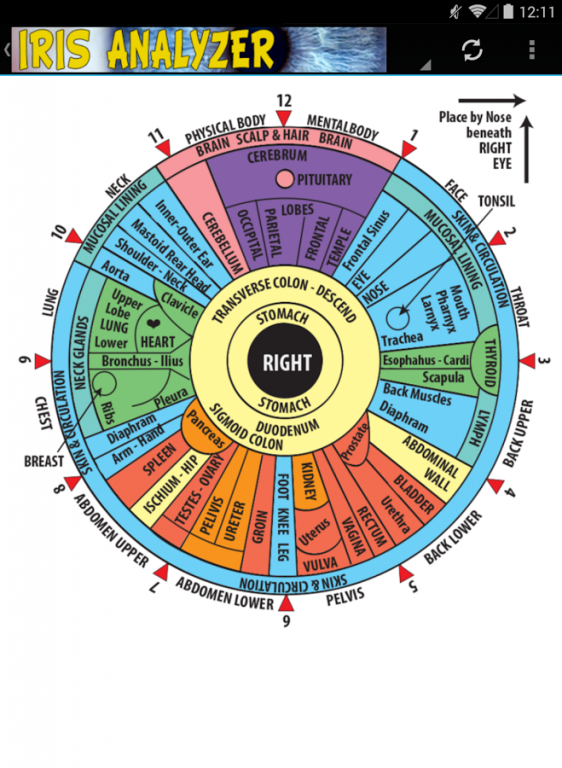
Our app contains the most widely recognized iridology charts to help you identify health imbalances by studying changes to the eye.
Iridology is the science of the eye that maps certain bodily functions to unique areas of the eyes. Iridologists study the iris, particularly the color, markings, changes and other aspects. They believe that these changes are a sign of tissue degeneration. Iridology is a form of medical analysis that is non-invasive to the body.
About Iris Analyzer
Iris Analyzer is a free app for Android published in the Health & Nutrition list of apps, part of Home & Hobby.
The company that develops Iris Analyzer is Zoom Box Labs. The latest version released by its developer is 1.0. This app was rated by 5 users of our site and has an average rating of 1.6.
To install Iris Analyzer on your Android device, just click the green Continue To App button above to start the installation process. The app is listed on our website since 2016-12-11 and was downloaded 1,271 times. We have already checked if the download link is safe, however for your own protection we recommend that you scan the downloaded app with your antivirus. Your antivirus may detect the Iris Analyzer as malware if the download link to com.andromo.dev532608.app558757 is broken.
How to install Iris Analyzer on your Android device:
- Click on the Continue To App button on our website. This will redirect you to Google Play.
- Once the Iris Analyzer is shown in the Google Play listing of your Android device, you can start its download and installation. Tap on the Install button located below the search bar and to the right of the app icon.
- A pop-up window with the permissions required by Iris Analyzer will be shown. Click on Accept to continue the process.
- Iris Analyzer will be downloaded onto your device, displaying a progress. Once the download completes, the installation will start and you'll get a notification after the installation is finished.
Program Details
System requirements
Operating systems
Android
Download information
File size
N/A
Total downloads
1,271
Pricing
License model
Free
Price
Version History
Here you can find the changelog of Iris Analyzer since it was posted on our website on 2017-01-04.The latest version is 1.0 and it was updated on Soft112 on 01 November, 2026.See below the changes in each version:
version 1.0
posted on 2016-12-11
Added clearer instructions on how to use the app.
